

Excel can support production scheduling in Microsoft Dynamics 365 Business Central as long as orders, routings, and priorities are relatively stable. When several orders compete for the same machines, priorities change often, or operations depend on one another, maintaining that logic in a spreadsheet takes increasing effort. The Netronic Visual Production Scheduler (VPS) and Visual Advanced Production Scheduler (VAPS) work directly on Business Central manufacturing data and show the effect of each change in an interactive Gantt chart.
Microsoft Excel is a familiar tool for production planning. Manufacturers use spreadsheets to organize production orders, calculate dates, track workloads, and adjust schedules. For straightforward planning requirements, this flexibility makes Excel a practical starting point.
Production scheduling becomes more demanding when multiple orders compete for the same resources, priorities change, or operations depend on one another. At that point, manufacturers using Business Central need to decide whether a spreadsheet is still the right scheduling environment.
Netronic, part of Boyum IT Solutions, provides two production scheduling extensions that run inside Business Central: VPS for visual scheduling with manual control, and VAPS for finite capacity scheduling with scheduling assistance.
Can Excel be used for production scheduling in Business Central?
Yes, and many manufacturers start there. Planners can create customized planning boards, use formulas to calculate dates and workloads, and organize information according to their own manufacturing requirements.
Excel also integrates with Business Central. Open in Excel exports list data for analysis, while Edit in Excel, available on most list pages through the Business Central add-in for Excel, lets users publish changes to records back to Business Central. The add-in can also refresh the workbook with the latest data.
These capabilities make Excel useful for production planning, particularly when scheduling requirements are straightforward or an existing spreadsheet already supports the necessary processes.
The limitations become more apparent when scheduling involves multiple interconnected operations and frequent changes.
What are the limits of Excel for production scheduling?
A production schedule involves more than assigning dates to individual orders. Changes to one operation may affect subsequent operations, resource availability, and planned completion dates.
With a conventional Excel-based planning board, maintaining these relationships requires formulas, manual adjustments, or custom automation.
Three challenges are particularly relevant:
- Maintaining scheduling logic: Production routings, dependencies, and resource constraints must be represented and maintained within the spreadsheet model.
- Managing changes: Moving an operation may require additional adjustments to subsequent operations and other orders competing for the same resource.
- Keeping scheduling data aligned: Although Excel integrates with Business Central, a planning board maintained in a separate workbook needs a defined process for refreshing data and bringing schedule changes back into Business Central.
Excel can be extended to address these requirements, but the scheduling functionality then has to be developed and maintained within the spreadsheet itself.
How does a visual production scheduler work in Business Central?
The Netronic visual scheduling extensions work directly with Business Central manufacturing data, including production orders, routings, work centers, machine centers, and capacity information. There is no separate planning file to import, export, or reconcile.
Instead of maintaining a spreadsheet planning board, planners work with interactive Gantt charts that show operations and resource assignments along a timeline, with visual warnings when operations exceed their due dates or resources are overloaded.
The two production scheduling solutions address different requirements.
VPS: visual production scheduling with manual control
VPS presents production orders and resource workloads in a Production Order view, a Capacity view, and a Histogram view with capacity load charts.
Planners can identify capacity overloads and operations that exceed their due dates. They move operations in time or to another work or machine center by drag and drop, and the Schedule Successors function reschedules the subsequent routing operations. With Viewer Mode, colleagues who need visibility but not scheduling control get an automatically updating, view-only schedule.
VPS retains standard Business Central scheduling logic rather than introducing its own finite capacity scheduling algorithm.
This makes VPS a natural next step for manufacturers taking their first steps from Excel-based planning toward digital production scheduling while keeping manual control over scheduling decisions.
VAPS: finite capacity scheduling with scheduling assistance
VAPS is designed for manufacturers that already have a clear understanding of their day-to-day scheduling challenges and need more advanced ways to handle them.
VAPS schedules operations against the capacity actually available on each resource. The earliest material availability date (EMAD) shows when required components are expected to arrive, which helps planners identify work scheduled before its materials are available. VAPS can also take predefined alternative machine centers into account, and scheduling instruments such as Fill Idle Times support assisted and semi-automatic scheduling.
Planners can create multiple scheduling simulations, compare scenarios using selected KPIs, and publish the preferred schedule once they are confident in the result. They can also see when sales order items are expected to finish and identify delivery risks early.
These capabilities are particularly relevant when production orders compete for limited capacity and scheduling changes affect several interconnected operations.
Excel vs. Netronic: production scheduling capabilities compared
|
Scheduling requirement |
Excel |
Netronic VPS / VAPS |
|
Customized planning tables |
Native spreadsheet functionality |
Production Order, Capacity, and Histogram views (VPS); Capacity, Production Order, and Sales Order views (VAPS) |
|
Business Central integration |
Open in Excel and Edit in Excel on most list pages through the Excel add-in |
Runs inside Business Central on production orders, routings, work centers, and machine centers |
|
Production Gantt charts |
Require spreadsheet setup or additional tools |
Built-in interactive Gantt charts |
|
Drag-and-drop operation scheduling |
Requires custom functionality |
Available in VPS and VAPS |
|
Capacity overload visibility |
Requires an appropriate spreadsheet model |
Visual overload warnings and capacity load charts (VPS); overloads prevented by finite capacity (VAPS) |
|
Finite capacity scheduling |
Requires custom scheduling logic |
Available in VAPS |
|
Material availability scheduling |
Requires custom calculations |
Earliest material availability date (EMAD) in VAPS |
|
Scheduling simulations |
Can be developed using spreadsheet models |
Multiple simulations compared by KPIs in VAPS |
|
View-only schedule for colleagues |
Shared workbook that must be kept current |
Viewer Mode in VPS |
|
Delivery risk on sales orders |
Requires custom lookups and formulas |
Expected finish dates for sales order items in VAPS |
When should manufacturers move from Excel to a visual production scheduler?
Excel remains a valid option when production scheduling requirements can be handled through an existing spreadsheet model.
A dedicated scheduling extension becomes relevant when planners need to coordinate production operations, resources, and dependencies without maintaining the corresponding scheduling functionality in Excel. Typical signs are that keeping the spreadsheet up to date takes more time than the planning itself, that the workbook and Business Central regularly fall out of step, or that a change to one order affects many others.
VPS provides the next step for manufacturers seeking integrated visual scheduling and manual adjustments within Business Central.
VAPS addresses additional requirements for finite capacity scheduling, material availability, resource alternatives, and scheduling assistance.
The decision is not simply about replacing spreadsheets. It is about selecting a scheduling environment that supports the actual requirements of production planning and execution.
Learn more about advanced production scheduling in Business Central
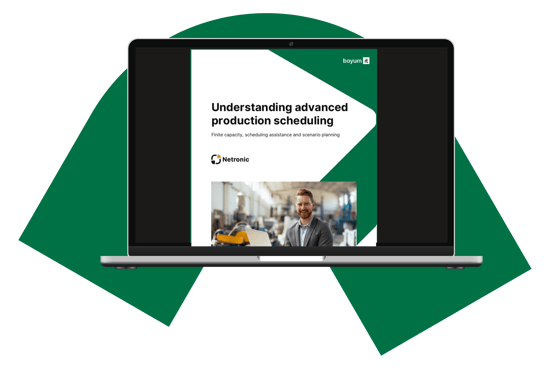
What happens when visual scheduling alone is no longer enough to manage production complexity? Our white paper, Understanding advanced production scheduling: Finite capacity, scheduling assistance and scenario planning, explores how manufacturers can go beyond visualizing their schedules to coordinate capacity constraints, material availability, alternative resources, and changing priorities. It also explains how advanced scheduling works in Business Central and when VAPS may be the right choice compared to VPS.

Further information is available on the Netronic product pages for the Visual Production Scheduler and the Visual Advanced Production Scheduler, and the Netronic visual scheduler comparison gives a side-by-side overview of VPS, VAPS, and VJS.
Frequently asked questions about Excel and visual production scheduling